


A rushed Umbraco upgrade is one that beats the 14 December 2026 deadline but breaks the things around the site - integrations, custom back-office tooling, editor workflows - and costs more to unpick than the deadline ever saved. Umbraco 13 loses its security support on 14 December 2026, so it does have to move. But an upgrade done in a hurry - lost content, a payment integration still pointing at the old endpoint, editors locked out of a back office they no longer recognise - is the more expensive failure. Here's what actually goes wrong, and how to avoid it.
What actually goes wrong in a rushed Umbraco upgrade?
Most upgrade failures are nothing to do with the version jump itself - they're about the things around it. A property editor that silently stops saving. A CRM feed that still writes to the old field names. A media library that migrates halfway and leaves broken links across the site. A back office your team opens on Monday and simply cannot use.
The upgrade “worked”, in the narrow sense that the site now reports v17. But the business running on it is firefighting, and every fix after go-live is more expensive and more visible than it would have been before.
Getting onto a supported version is the easy half. Getting there without breaking the things your business actually relies on is the half worth paying for.
Why is the rush the problem, not the version?
The jump from 13 to 17 is well-trodden. Umbraco documents the supported upgrade path, the migrations are mature, and the framework move from .NET 8 to .NET 10 is incremental. None of that is where projects come unstuck.
They come unstuck because a deadline compresses the part that actually needs care: the testing. A rushed upgrade skips the parallel environment, runs the migration straight against production “because it worked on the developer's machine”, and discovers on Monday that a content app three editors depend on was quietly deprecated two majors ago. The version number was never the risk. The assumption that nothing around it would break was.
What does a good Umbraco upgrade look like?
A good upgrade is one nobody outside the project notices, because the live site never wobbled and the team's Monday looked like every other Monday.
That means building and testing v17 against a copy of the live environment, working through the breaking changes and package updates there, and only cutting over once everything has been verified. The current site stays up throughout. Nothing experimental touches production. It is deliberately unexciting, and that is the whole point.
What should you check before anyone quotes you?
The four questions below are the ones a competent supplier will ask before pricing anything - and if they don't ask, that tells you something. The honest answer to “how much is an upgrade” is “it depends”, and anyone who quotes a flat number before looking is guessing.
- How much custom back-office code is there? This is the big one, and it is specific to this jump - see the next section. Bespoke property editors, dashboards and content apps are where the real work hides.
- What integrations touch the site? A CRM, payment gateway or data feed may need reworking against the newer APIs, especially across the .NET 8 to .NET 10 move. List them before anyone prices the job, not after.
- Who controls the hosting? A no-downtime, parallel cutover assumes we can stand up and switch the target environment. Locked-down or third-party-managed hosting is fine - but it has to be planned around, not discovered mid-project.
- How much content and media is there? Most sites are unremarkable here; the outliers - hundreds of thousands of nodes, enormous media libraries - are worth flagging up front so nobody is surprised by a slow migration.
Why does the v14 back office change the price?
If there is a single reason a v13-to-17 quote varies wildly between suppliers, it is this. Umbraco rebuilt the entire back office in v14 on a new architecture and extension model. Standard content, document types and templates migrate cleanly. But anything bespoke that plugged into the old back office - custom property editors, dashboards, content apps, section trees - has to be rebuilt, not migrated, because the thing it plugged into no longer exists in the same form.
For a content-managed marketing site with stock editors, this is a non-issue. For a site whose editors live in three custom dashboards built five years ago, it is most of the project. The only way to know which one you are is to open the solution and look - which is exactly why a fixed number offered before that inspection should make you nervous, in either direction.
What if you genuinely can't move before December 2026?
Extended Long-Term Support is Umbraco's paid bridge past the deadline: Extended Long-Term Support for v13 buys 6, 12 or 24 more months of security patches. It is a paid bridge, not a fix - the upgrade still has to happen - but it takes the pressure off, and a planned upgrade with the bridge in place beats a panicked one every time. If you are reading this in November with no plan, buying the extension and doing the job properly in the new year is almost always the better call than rushing it to beat the date.
How much does a proper Umbraco 13 to 17 upgrade cost?
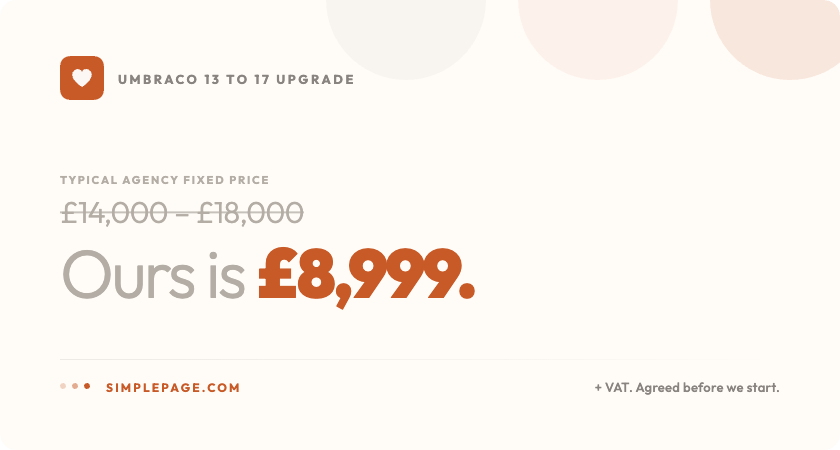
Our fixed price for a standard site is £8,999 + VAT - v13 to v17, .NET 8 to .NET 10, no downtime, 30 days of cover, agreed before we start. Where a site isn't standard, we tell you why, and what the number is, before you commit. The full scope, the exceptions and an honest FAQ are on the fixed-price Umbraco 13 to 17 upgrade page.